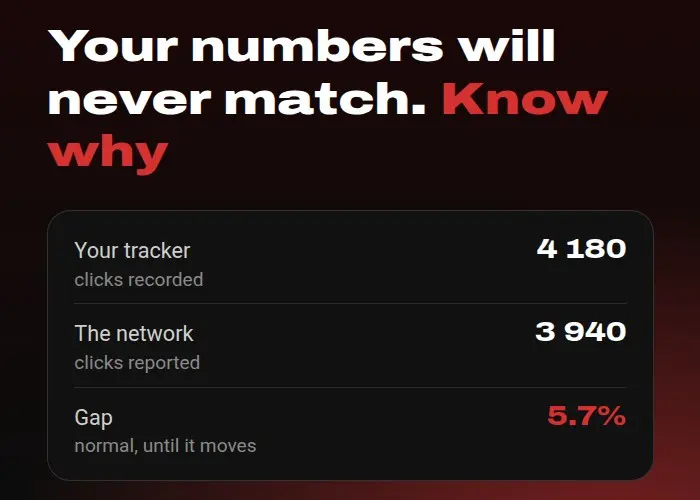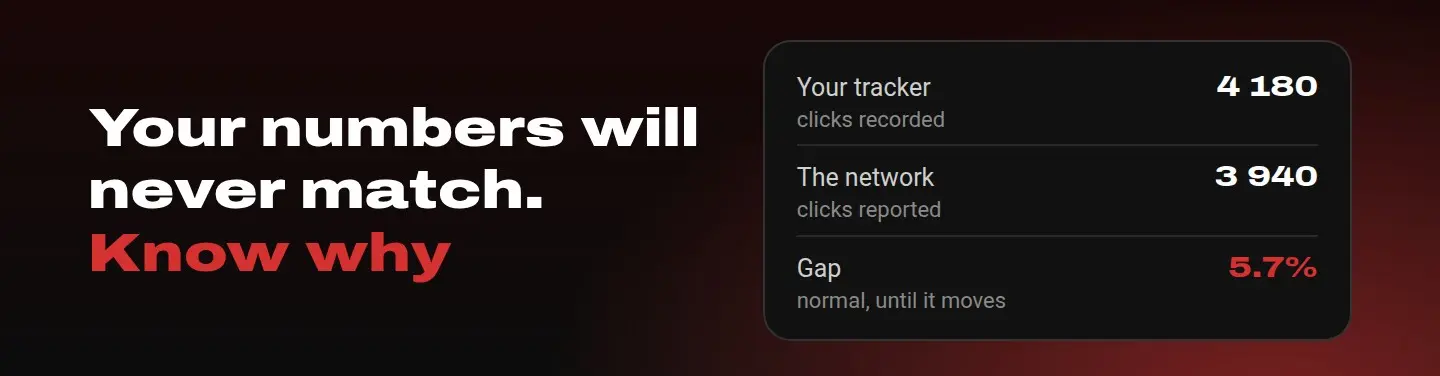
Your tracker says 4,180 clicks. The network says 3,940. Nobody is lying, and the gap is normal. The question is whether you know why it exists, and whether the number you are reconciling against is one you can actually check.
This is about building a tracking setup where discrepancies are explainable rather than mysterious, and where you can tell the difference between a counting artefact and a network quietly dropping conversions.
Why click counts never match
Start here, because most publishers assume a gap means a problem. Usually it does not.
01 Redirect drop-off
Every hop in the chain loses users. A click fires at your tracker, redirects to the network, redirects to the advertiser. Each redirect takes 100 to 400 milliseconds, and on mobile connections a share of users never complete it. Three to eight percent loss across two hops is ordinary. More than fifteen percent means your chain is too long or something in it is slow.
02 Bot filtering at different layers
Your tracker filters, the network filters, the advertiser filters. Each uses different rules. A click your tracker counted as valid can be dropped at the network as a known datacenter IP. This is working correctly, but it widens the gap.
03 Deduplication windows
If a user clicks twice within a few seconds, your tracker may count two and the network one, or the reverse. Different platforms use different windows, commonly from 1 to 30 seconds.
04 Timezone boundaries
The single most common false alarm. Your tracker reports in UTC, the network in UTC+2, and a day-level comparison will never reconcile. Always compare on a window at least three days long, or align timezones explicitly before comparing anything.
05 Prefetch and link preview
Some browsers and messaging apps request the URL before a human clicks it. Depending on where in the chain this is filtered, you get a click on one side and nothing on the other.
A stable gap is fine. A gap that moves is the signal worth investigating.
Setting up postback so it is verifiable
Server-to-server postback is the baseline. Pixels fire in the browser and lose conversions to ad blockers, cross-domain restrictions and users closing the page early. S2S fires server-side and does not depend on the user's browser at all.
The setup matters less than what you can prove afterwards.
If the ID breaks at any hop, the conversion arrives unattributed.
01 Use your own click ID, and pass it through every hop
Your tracker generates it, the network receives it, the advertiser receives it, and it comes back on the postback. Test this by sending a click yourself and following the ID through every parameter at every step.
02 Request the network's conversion ID as well
Most networks can pass their own transaction identifier in the postback. Store it. When you later dispute a missing conversion, having their ID is the difference between an argument and a lookup.
03 Log the raw postback, not just the parsed result
Store the full request: URL, parameters, timestamp, source IP. When a conversion does not appear in your tracker, the first question is whether the postback arrived at all and was rejected, or never arrived. Without raw logs you cannot answer that.
04 Return a response the network can read
A 200 with a confirmation body. If your endpoint returns errors or times out, some networks retry and some do not, and you will never know which conversions were lost to that.
05 Record the sub ID structure before you need it
Decide what goes in sub1 through sub5 at setup, not three weeks in. Changing the structure mid-campaign makes historical comparison impossible.
The reconciliation that catches problems
Once a month, with a window of at least seven days and timezones aligned, pull four numbers per offer: clicks reported by your tracker, clicks reported by the network, conversions in your tracker from postbacks received, and conversions in the network's interface.
Then compute two ratios.
A 96 percent delivery rate sounds fine until you realise you are optimising campaigns while blind to one conversion in twenty-five.
Testing for shaving, properly
Shaving means a network withholding conversions that actually happened. It is real, it is hard to prove, and accusations based on a bad week are usually wrong.
Not evidence
One campaign underperforming expectations. A gap between your click count and theirs. A conversion rate below what someone told you to expect.
Evidence
Repeated missing test conversions. Unnaturally flat hourly rates. An approval gap on identical split traffic.
01 Manual conversion tests
Complete the offer yourself, from a clean device and IP, with a click ID you have recorded. Then check whether it appears. Do this several times across different days and different offers on the same network. A single missing test conversion can be a filtering artefact. Three out of ten missing is a pattern.
02 Conversion rate by hour
Shaving implemented as a percentage often shows up as a conversion rate that is suspiciously uniform across hours and days, where organic data is always lumpier. Conversely, a rate that drops sharply at predictable thresholds, such as once you cross a daily volume, is worth a hard look.
03 The same offer at two networks
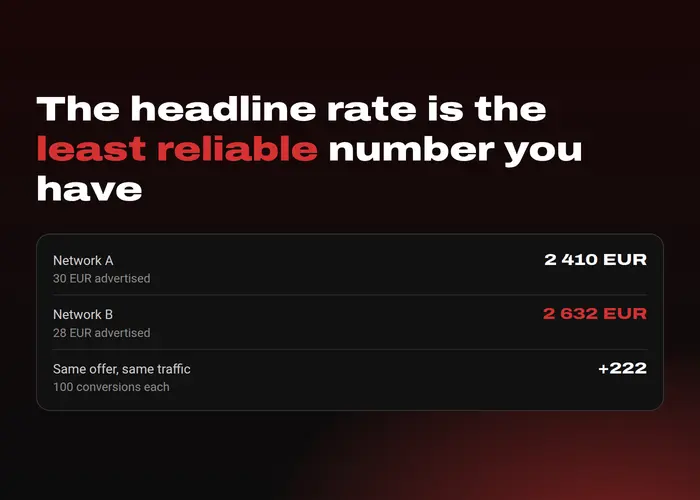
The strongest test, and the same methodology as a straight earnings comparison: same advertiser, same product, same traffic split evenly, run long enough for both validation windows to close. If approval rates differ substantially on identical traffic, you have something concrete rather than a suspicion.
"I have the click ID, the timestamp and your transaction ID" goes very differently from "my numbers look low."
What to require from a platform
Working backwards from everything above, a network should give you:
Where we stand on our own list
Worth saying plainly, since we are a network writing about how to audit networks.
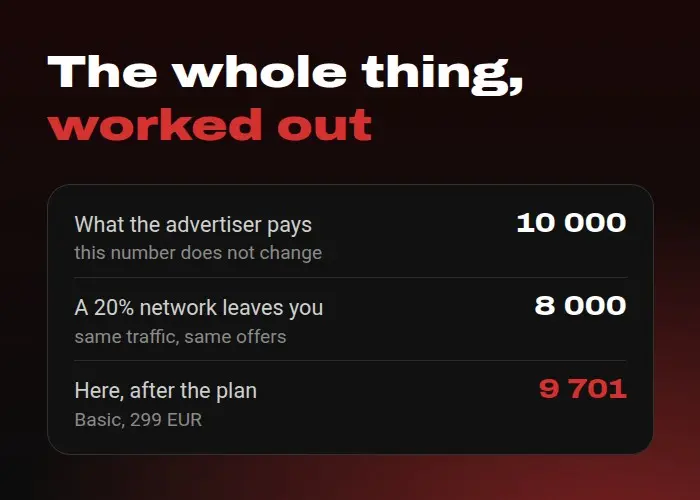
Postback and a custom tracking domain come in from the Basic plan, not Starter. If you intend to run the reconciliation above, Starter will not give you the data to do it. The full API arrives at Pro.
On the rest: your click ID passes through unchanged, our transaction ID comes back on the postback, reporting is real time and granular by hour, and the validation window and the conditions for reversal are written down rather than left to a manager.
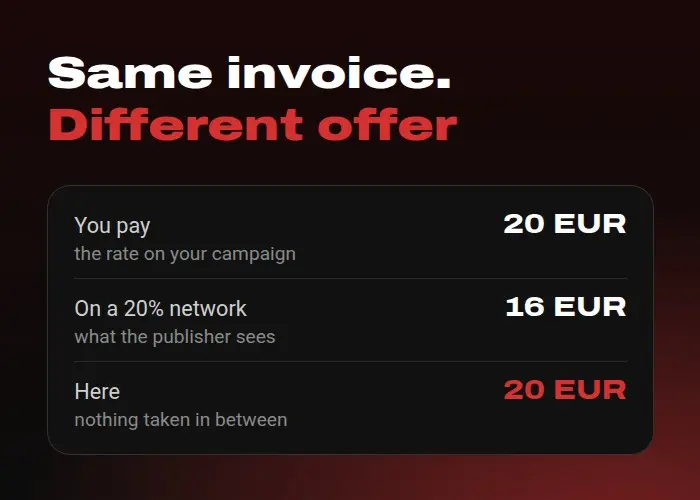
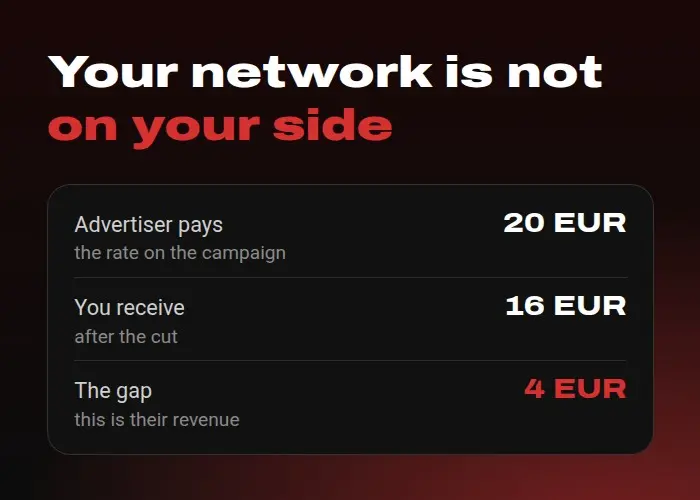
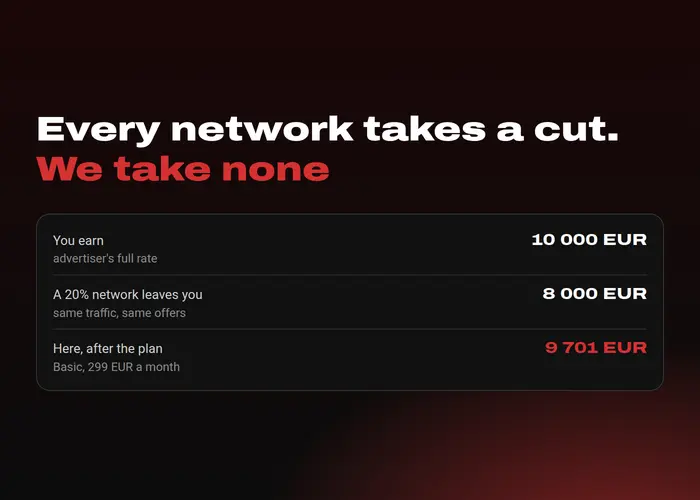
And because we take 0% commission on conversions, there is no revenue reason for us to drop one. A rejected conversion costs us nothing either way, which removes the incentive this entire article is about detecting.
Nothing in the middle to audit
0% commission on your conversions. Postback, a custom tracking domain and hourly reporting from Basic, full API from Pro.
See the plans →